Ihre Kommentare


This is not a bug. The free version from the Mac App Store is not able to connect to a fullscreen client (which is actually the only limitation of the free version) - if you want presenterCue to connect to a client (both, network or locally) you would need to use a licensed version, which is available on our website. We offer three different licenses -
- STD - which allows one client connection
- EXT - which allows up to 5 client connections
- PRO - which has basically no limit
Either of these licenses can be activated on one computer (the client does not need to be licensed) - whereas the licenses can easily be moved to another computer.
If you plan to install presenterCue on multiple systems (e.g. for rental laptops) - we also offer site-licenses for this purpose.
The site license can be activated on up to 10 systems with the same license code and is way cheaper than buying multiple single-seat licenses. (Well - depending on the amount. A site license makes only sense, if you plan to buy more than 6 single seat licenses…)
Hopefully this information is helpful. If you have further questions, please do not hesitate to contact me again.
Best
Jens
Hi Johan,
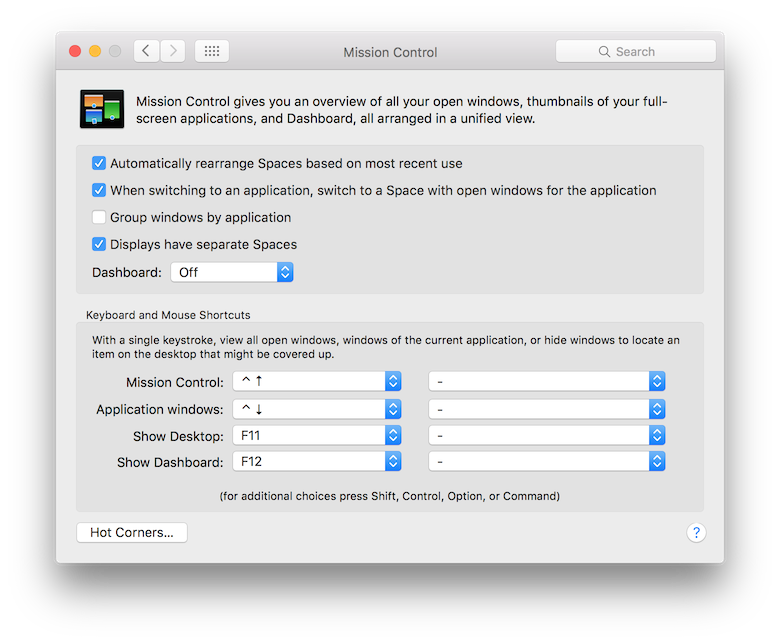
please have a look at System Preferences > Mission Control and activate the checkbox which says "Displays have separate Spaces"
You will need to log out and log in again - this will solve your problem.
 Hi Miklos,
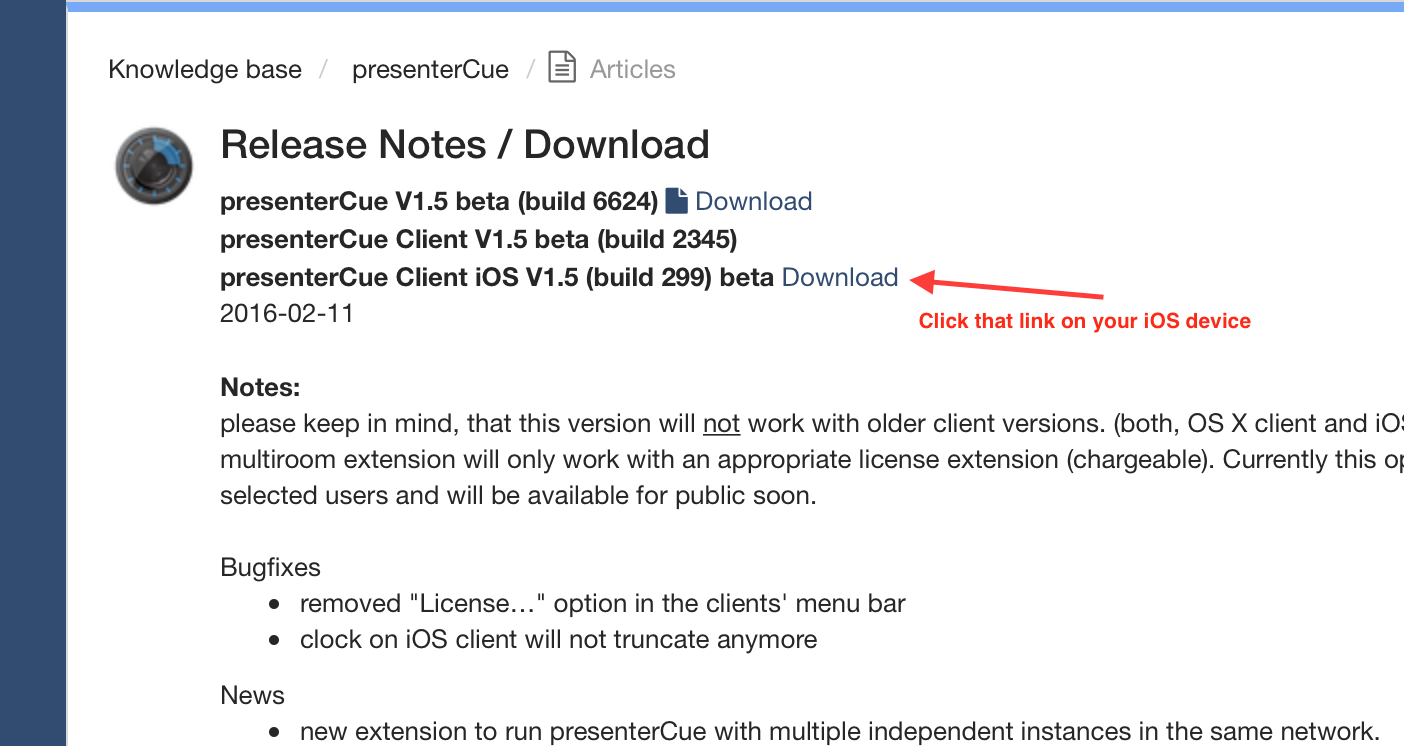
the iOS client is def available with that link. Please click the link directly on your iOS device - it will install the iOS client on the device without using iTunes.
if your iPad runs on iOS 9, please install the latest beta which is available here in the support forum. This should solve your problem.
Best
Jens
Hi Robert,
presenterCue Server supports no fullscreen mode. If you want to show the countdown display in fullscreen mode, just start the OS X client on an external display and enable fullscreen mode for the client, but the user interface of the server has no fullscreen option.
If you have further questions, please do not hesitate to contact me.
Best
Jens
Dear Rune,
just sent you an answer by email - anyway. We're currently running a public beta with the iOS 9 client - please have a look in the forum (http://support.nominari.com/topics/83-release-notes-download/)
We're looking forward to release the new presenterCue version (server, client and iOS) within the next couple of weeks (depends also a little bit on the review process at Apple)
Best
Jens
Hi,
sure - you can run presenterCue Server and Client on the same computer. That´s actually the most common configuration. From the user perspective you won't need any networking in this case - but internally the Server and the Client always communicate via network protocol with each other - wether you´re running the client "locally" or not.
I guess you're getting the message to disconnect one or more clients - this is a typical sign, that you're either running an unlicensed / free version or that you exceeded the max number of client connections (the Standard License allows only one client - local or not, whereas the Extended License allows a maximum of 5 clients.)
Hopefully this answer is helpful for you - if you have further questions, please do not hesitate to contact me.
Best
Jens
Customer support service by UserEcho


Hi,
if you tell us the email address, your license is registered to, we will deactivate it for you. Afterwards you can easily activate it again on your new machine. Since version 1.4, presenterCue has a built in "deactivate" button in the license window - this makes it way easier to move the license to another computer.
Hopefully this answer was helpful - please do not hesitate to contact us again, if you have further questions.
Best
Jens
Nominari Support